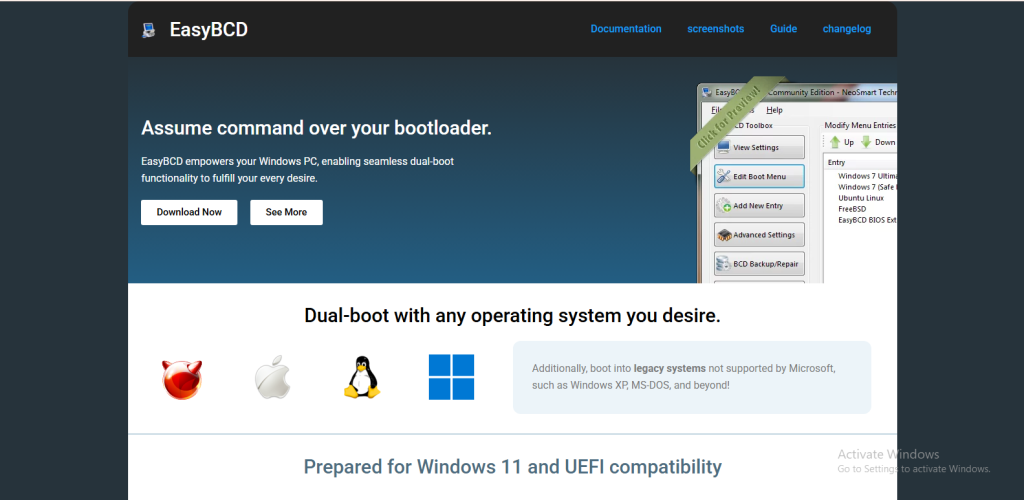
In the world of computer systems, managing how a machine starts up is one of the most important yet often overlooked aspects of system control. When multiple operating systems are installed on a single computer, or when advanced boot configurations are needed, users can quickly run into complexity. This is where EasyBCD comes into play. EasyBCD is a powerful yet user-friendly boot management tool that simplifies the process of configuring and controlling the Windows bootloader. It is widely used by beginners, advanced users, and IT professionals because of its flexibility, safety features, and ease of use.
Understanding why EasyBCD stands out requires looking at what boot management actually involves. A bootloader is a small program that loads the operating system when a computer starts. If you are running only one operating system, you may never need to think about it. However, once you install multiple operating systems such as Windows and Linux, or create recovery partitions, the boot process becomes more complicated. Misconfiguring the bootloader can lead to startup errors or even prevent the system from booting entirely. EasyBCD removes much of this risk by offering a simple graphical interface to manage boot settings safely.
Simplifying Multi-Boot Configurations
One of the strongest reasons to choose EasyBCD is its ability to simplify multi-boot setups. Traditionally, configuring multiple operating systems required manual editing of boot configuration data, which could be intimidating for most users. A small mistake in system files could lead to boot failures or require advanced recovery tools.
EasyBCD eliminates this difficulty by providing a clean and intuitive interface. With just a few steps, users can add new operating systems to the boot menu, rearrange boot priorities, and customize how each entry behaves. Whether someone wants to dual boot Windows with Linux, or test different versions of Windows on the same machine, EasyBCD makes the process straightforward and safe.
User-Friendly Interface for All Experience Levels
Another major advantage of EasyBCD is its user-friendly design. Unlike command-line boot configuration tools that require technical knowledge, EasyBCD uses a graphical interface that is easy to understand. Every option is clearly labeled, and most tasks can be completed with simple selections and clicks.
This accessibility makes it suitable not only for IT professionals but also for students, casual users, and people who are new to system customization. Even if someone has never worked with boot settings before, they can quickly learn how to manage their system using EasyBCD without fear of damaging important system files.
Advanced Bootloader Customization
While EasyBCD is simple to use, it is also extremely powerful. It offers advanced customization options that allow users to control almost every aspect of the boot process. Users can modify boot menus, set default operating systems, adjust timeout settings, and even rename operating system entries for clarity.
For advanced users, EasyBCD supports more technical configurations such as editing boot entries for legacy systems, configuring NeoGrub bootloaders, and managing ISO boot entries. This level of flexibility makes it a tool that grows with the user’s knowledge and needs. Beginners can start with basic features, while advanced users can explore deeper customization without switching tools.
Safe Boot Configuration Management
One of the biggest risks in boot management is the possibility of system corruption. Editing boot files manually can lead to critical errors if something goes wrong. EasyBCD reduces this risk by offering a controlled environment where changes are applied safely and reversibly.
The software also includes backup and restore features, allowing users to save their current boot configuration before making changes. If anything goes wrong, they can quickly restore the previous working state. This safety net is especially valuable for users experimenting with new operating systems or testing system configurations.
Support for Multiple Operating Systems
EasyBCD is not limited to Windows systems alone. It supports a wide range of operating systems including Linux distributions and older versions of Windows. This makes it ideal for users who want to experiment with different environments or maintain compatibility across platforms.
For example, a developer might need Windows for daily work, Linux for programming and server testing, and a recovery partition for troubleshooting. EasyBCD allows all of these systems to coexist on a single machine without conflict. It bridges the gap between different operating system technologies and unifies them under one boot menu.
Ideal for System Recovery and Troubleshooting
In addition to multi-boot setups, EasyBCD is also extremely useful for system recovery scenarios. When a system fails to boot properly due to corrupted boot records or incorrect configuration, EasyBCD can often be used to repair the bootloader and restore access to the operating system.
It provides tools to rebuild the boot configuration data and fix common startup issues without requiring full system reinstallation. This makes it a valuable tool for technicians and users who want to avoid data loss or lengthy recovery processes.
Lightweight and Efficient Performance
Despite its powerful capabilities, EasyBCD is a lightweight application that does not slow down system performance. It runs only when needed and does not consume significant system resources in the background. This efficiency ensures that users can manage their boot configurations without affecting the overall speed or stability of their computer.
Because of its small footprint, it is suitable even for older systems where performance is a concern. Users do not need high-end hardware to benefit from its features, making it accessible to a wide audience.
Regular Updates and Community Support
EasyBCD is maintained with regular updates that improve compatibility with newer operating systems and hardware configurations. This ensures that users can continue using it even as technology evolves. Additionally, it has a strong user community and documentation support, making it easier to find solutions to common issues or learn advanced techniques.
Having access to a supportive community is especially helpful for beginners who may need guidance while setting up multi-boot systems or troubleshooting boot-related problems.
Conclusion
Choosing EasyBCD for boot management is a practical decision for anyone who wants control, safety, and simplicity in managing multiple operating systems. It removes the complexity of manual boot configuration and replaces it with a user-friendly interface that is both powerful and reliable.
Whether you are a beginner experimenting with dual booting for the first time or an advanced user managing complex system environments, EasyBCD provides the tools needed to handle boot configuration efficiently. Its combination of ease of use, advanced features, safety mechanisms, and wide compatibility makes it one of the most trusted boot management solutions available today.
In a computing environment where flexibility and control are increasingly important, EasyBCD stands out as a tool that bridges simplicity and power, making system boot management accessible to everyone.