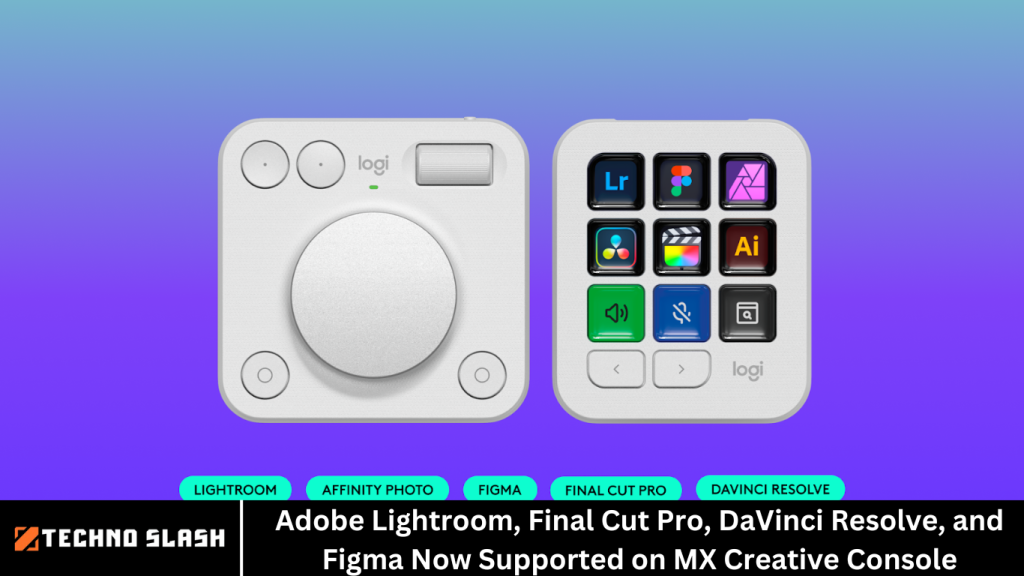
As a creative professional, whether you’re a photographer, videographer, designer, or content creator, your tools can make all the difference. The speed, precision, and customization of your workflow directly impact the quality of your work.
Logitech, a brand known for creating powerful tools that help professionals work smarter, has just taken a significant step forward in empowering creatives everywhere with the latest software update for the MX Creative Console.
The MX Creative Console, already celebrated for its intuitive, customizable features, has received exciting new updates. Among the most highly anticipated additions are Adobe Lightroom, Final Cut Pro, DaVinci Resolve, and Figma, now supported with powerful integrations and plugins. These updates enable seamless interaction with some of the most widely used creative software, allowing professionals to optimize their workflow and enhance their productivity.
More Read: CEO Resigns from Discord, the Popular Social Chat App
What is the MX Creative Console?
Before diving into the exciting updates, let’s quickly look at the MX Creative Console and why it has become a favorite tool for creatives.
The MX Creative Console is a productivity tool designed for creative professionals to streamline their workflow and enhance their editing experience. Featuring customizable buttons, a dynamic dialpad, and personalized display keys, the MX Creative Console helps users access essential actions quickly, giving them the power to work more efficiently.
Key Features of the MX Creative Console:
- Customizable Display Keys: Access shortcuts and actions instantly with dynamic display keys that are completely customizable for each program or project.
- Intuitive Dialpad: The dialpad allows users to make fine adjustments with ease, from image exposure to video transitions, making it a versatile tool for various creative tasks.
- Three-Month Adobe Creative Cloud All Apps Membership: This valuable subscription offers immediate access to industry-leading creative software such as Photoshop, Illustrator, Premiere Pro, and more, right out of the box.
The MX Creative Console isn’t just a keyboard; it’s an all-in-one tool that adapts to the specific needs of creative professionals, making it an indispensable part of their toolkit.
New Software Integrations: Adobe Lightroom, Final Cut Pro, DaVinci Resolve, and Figma
Logitech has taken the MX Creative Console to the next level by adding highly requested software integrations and plugins. Here’s a breakdown of what these new updates bring to the table:
1. Adobe Lightroom Integration
As one of the most popular software programs for photo editing, Adobe Lightroom is a staple in many photographers’ and designers’ workflows. Known for its advanced editing capabilities, non-destructive workflow, and powerful color grading tools, Lightroom has long been an essential tool for professionals in the photography world.
With the new MX Creative Console update, Adobe Lightroom users now enjoy seamless integration. The customizable keys and dialpad work in tandem with Lightroom’s features, allowing users to:
- Adjust Exposure and Contrast: Fine-tune your photos with easy-to-use dials that allow for precise control over exposure, contrast, highlights, shadows, and other essential photo-editing parameters.
- Manage Presets: Quickly switch between presets and create new ones on the fly, making batch editing and applying consistent styles across multiple photos faster and more efficient.
- Create Seamless Workflows: Access frequently used tools and functions instantly without the need to click through multiple menus or tabs, significantly speeding up the editing process.
This integration is perfect for photographers who need to edit large batches of photos quickly or work with high volumes of images on a tight deadline. The MX Creative Console enhances Lightroom’s flexibility, giving users the power to streamline their editing process and unlock new levels of creativity.
2. Final Cut Pro Integration
For videographers and content creators, Final Cut Pro has been a professional-grade video editing software for years. Known for its powerful editing suite, advanced color grading, multi-camera editing, and intuitive timeline, Final Cut Pro is a go-to for Mac users who require robust video editing tools.
With the new MX Creative Console integration, Final Cut Pro users can benefit from:
- Real-Time Editing Controls: Use the customizable dials and buttons to navigate through your video timeline smoothly, adjust clip speed, and apply transitions and effects quickly.
- Efficient Audio Mixing: Control audio levels, transitions, and sound effects more easily by mapping your audio tools to the console’s display keys, reducing the need to click through menus.
- Streamlined Video Editing: Create custom shortcuts for your most-used tools, such as trimming, cutting, and color grading, to make the video editing process faster and more intuitive.
This integration helps speed up the editing process, particularly when working with complex video projects. Whether you’re working on a promotional video, YouTube content, or a documentary, the MX Creative Console lets you spend more time focusing on your creativity and less time navigating through cumbersome menus.
3. DaVinci Resolve Integration
DaVinci Resolve is known as one of the best video editing and color grading tools in the industry. It’s trusted by Hollywood studios and independent filmmakers alike for its powerful editing capabilities and industry-leading color grading tools. Whether you’re working on a film, commercial, or social media content, DaVinci Resolve offers an unparalleled level of control over your video projects.
The integration of DaVinci Resolve with the MX Creative Console offers several benefits, including:
- Precise Color Grading: Use the console’s dialpad to make fine adjustments to color balance, saturation, and hues, providing greater control over your footage’s look and feel.
- Faster Timeline Navigation: Move through your video project timeline with ease using the MX Creative Console’s customizable keys and dials.
- Streamlined Editing Process: Assign custom shortcuts for tasks like adding transitions, cutting clips, or applying effects, allowing for quicker project edits with fewer clicks.
DaVinci Resolve’s steep learning curve can be daunting for new users, but with the MX Creative Console’s intuitive controls, even beginners can improve their workflow and experience smoother, more enjoyable editing sessions.
4. Figma Integration
Figma has become a household name in the design world, especially among UI/UX designers and web developers. Known for its collaborative design features, ease of use, and powerful vector-based tools, Figma allows designers to work together in real-time, making it one of the most widely used design tools in the industry.
The MX Creative Console’s integration with Figma provides:
- Quick Navigation: Navigate between frames, pages, and layers effortlessly using the dialpad, giving you more control over your design.
- Faster Prototyping: Use the customizable keys to quickly add shapes, text, and elements to your designs, helping you move from concept to prototype faster.
- Efficient Collaboration: While collaborating in Figma, switch between design iterations quickly, update components, and apply changes with fewer clicks.
For UI/UX designers working in teams or remotely, the integration of Figma with the MX Creative Console ensures a smooth and collaborative workflow, allowing designers to stay focused on their creative process without being distracted by cumbersome menus or keyboard shortcuts.
Why These Integrations Matter
The new integrations with Adobe Lightroom, Final Cut Pro, DaVinci Resolve, and Figma represent a significant upgrade to the MX Creative Console. These software tools are essential in various creative industries, and by providing seamless integration with the console, Logitech is empowering professionals to get more done in less time, while maintaining the high standards of quality they demand.
Here’s why these integrations matter:
- Increased Efficiency: With customizable keys and a dialpad for real-time adjustments, the MX Creative Console reduces the need for constant mouse clicks, speeding up your workflow.
- Enhanced Productivity: By streamlining common tasks and making them easier to access, the MX Creative Console helps creative professionals focus on what matters most: their craft.
- Customization for Every Need: The console’s ability to adapt to different creative tools and workflows makes it highly versatile, allowing users to create a setup tailored to their needs.
Frequently Asked Question
What is the MX Creative Console?
The MX Creative Console is a versatile, customizable productivity tool designed for creative professionals. It offers dynamic display keys, a customizable dialpad, and instant access to essential actions and shortcuts, enabling users to streamline their workflow in applications like Adobe Lightroom, Final Cut Pro, DaVinci Resolve, and Figma. It is ideal for photographers, videographers, designers, and content creators looking for efficient, personalized control.
How does the MX Creative Console integrate with Adobe Lightroom?
The MX Creative Console’s integration with Adobe Lightroom allows users to map custom shortcuts and commands to the console’s display keys and dialpad. This makes it easier to adjust photo settings like exposure, contrast, and saturation, apply presets, and quickly switch between editing tools, all without needing to use the mouse or keyboard shortcuts within the Lightroom interface. It significantly speeds up the photo editing process.
What functionalities are available for Final Cut Pro users on the MX Creative Console?
The integration with Final Cut Pro provides users with intuitive controls for video editing. With the MX Creative Console, you can quickly navigate your video timeline, adjust audio levels, apply transitions and effects, and access custom shortcuts to trim or cut clips. The console’s customizable dialpad and keys make these tasks more efficient, speeding up the video editing process and giving you real-time control over your footage.
Does the MX Creative Console support advanced color grading in DaVinci Resolve?
Yes, the MX Creative Console offers advanced support for DaVinci Resolve, especially when it comes to color grading. You can use the customizable dialpad to make fine adjustments to color balance, saturation, and exposure. The console’s integration allows for smoother navigation through your project timeline, faster application of transitions and effects, and better overall control of your video editing process.
How does the MX Creative Console improve the user experience in Figma?
The MX Creative Console enhances the design process in Figma by allowing users to quickly navigate between layers, frames, and pages using the dialpad. It also enables faster prototyping and design updates, such as adding elements, shapes, or text. You can assign frequently used commands or tools to the display keys, speeding up the design process and boosting collaboration for UI/UX designers.
Do I need to install additional software or drivers to use these integrations?
Yes, to fully utilize the integrations with Adobe Lightroom, Final Cut Pro, DaVinci Resolve, and Figma, you’ll need to ensure that your MX Creative Console is updated with the latest software and drivers. Logitech provides software updates through the Logi Options+ platform, which helps ensure seamless functionality and compatibility with the creative software you use.
Is the MX Creative Console compatible with both Mac and Windows?
Yes, the MX Creative Console is compatible with both Mac and Windows operating systems. The integration with Adobe Lightroom, Final Cut Pro, DaVinci Resolve, and Figma is available for both Mac users (Final Cut Pro) and Windows users (DaVinci Resolve, Lightroom, Figma), making it a versatile tool for creative professionals across platforms.
Conclusion
For photographers, videographers, designers, and other creative professionals, the MX Creative Console is quickly becoming an indispensable tool. With its customizable controls, seamless software integrations, and intuitive design, it’s clear why the console has garnered such a loyal following. The latest updates, bringing Adobe Lightroom, Final Cut Pro, DaVinci Resolve, and Figma into the fold, further elevate the console’s value, providing creative professionals with the tools they need to improve their workflow, enhance productivity, and create amazing content faster than ever before.