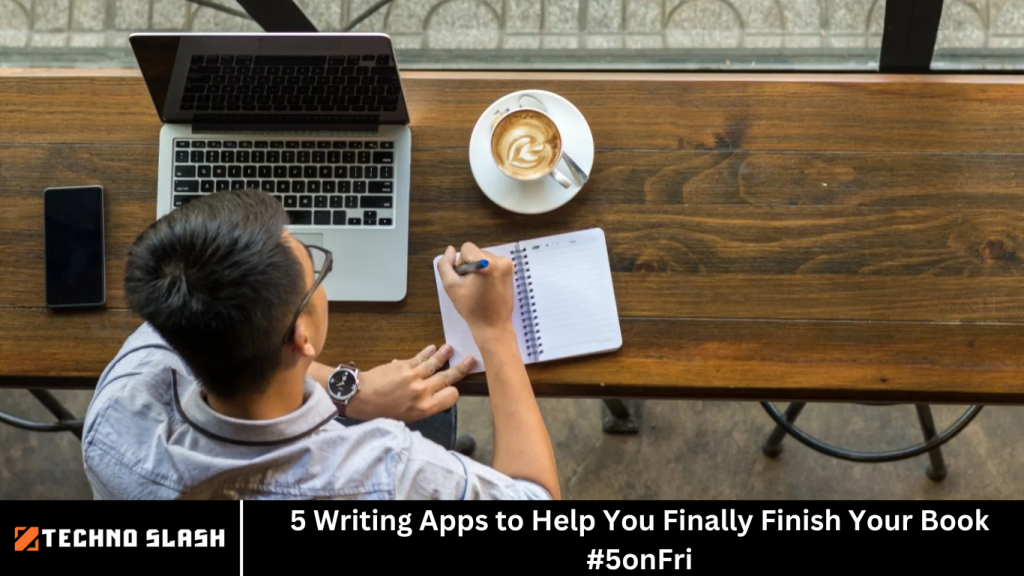
Writing a book is a monumental task that requires dedication, creativity, and organization. Whether you’re a seasoned author or a first-time writer, the challenge of finishing your manuscript can often feel overwhelming.
But fear not! In today’s digital age, there are countless writing apps designed to streamline the writing process, enhance your productivity, and help you finally complete that long-awaited book.
We’ll explore five essential writing apps that will not only support your writing journey but also boost your creativity and keep you on track. From manuscript organization to brainstorming, editing, and distraction-free writing, these apps have got you covered.
More Read: YouTube Music Tests Spotify-Style Lyrics Sharing Feature
1. Scrivener – The Writer’s Powerhouse
What Is Scrivener?
Scrivener is one of the most popular and highly praised writing apps available today. Designed specifically for authors, screenwriters, and researchers, Scrivener provides a comprehensive set of tools to manage and organize large, complex writing projects like books, articles, or screenplays.
Whether you’re working on a novel, nonfiction, or a short story, Scrivener allows you to break down your manuscript into manageable chunks, which you can easily rearrange, edit, and refine.
Features That Help You Finish Your Book
- Organizational Tools: Scrivener’s corkboard and outlining features make it simple to map out your plot, characters, and chapters. You can create “cards” for each scene or idea and move them around to develop your story structure.
- Research and Notes Integration: You can keep all of your research, notes, and references within the app. You don’t have to juggle between multiple documents or apps to stay organized.
- Distraction-Free Mode: Scrivener’s “Composition Mode” removes all distractions, allowing you to focus solely on writing your book without interruptions from notifications or the temptation to browse social media.
- Formatting and Export Options: Scrivener makes it easy to format your manuscript for different publishing platforms. You can export your work into various formats, including PDF, Word, ePub, and even LaTeX.
Why It Works for You
If you’re looking for a robust app that combines powerful organizational tools with a distraction-free writing environment, Scrivener is your go-to. It’s especially useful for writers who prefer to work in sections, allowing you to see the big picture while focusing on the details. The ability to export your manuscript in different formats makes it an invaluable tool for writers aiming to self-publish or submit to literary agents.
2. Google Docs – The Collaborative Classic
What Is Google Docs?
Google Docs is a cloud-based word processor that allows you to write, edit, and collaborate in real time. While it might seem simple at first glance, Google Docs offers a surprisingly powerful suite of tools, especially for writers who value collaboration, flexibility, and cloud storage.
Features That Help You Finish Your Book
- Collaboration and Sharing: Google Docs allows you to collaborate with beta readers, editors, or co-authors. You can share your document instantly and work on it together in real time, which is especially helpful if you need feedback or have a writing partner.
- Cloud Storage: With Google Docs, your work is automatically saved in the cloud, so you never have to worry about losing your progress. You can access your writing from any device with an internet connection.
- Voice Typing: If you’re more of a spoken-word writer, Google Docs’ voice typing feature allows you to dictate your ideas, which can be a great way to overcome writer’s block or speed up your writing process.
- Offline Access: Even if you’re without internet access, Google Docs allows you to continue writing offline. Your work will sync automatically once you’re connected again.
Why It Works for You
Google Docs is perfect for writers who want an easy-to-use, accessible app that promotes collaboration. If you’re working with an editor or a group of beta readers, the sharing and commenting features are invaluable. The cloud storage ensures you never lose your work, and the voice typing option can help you capture ideas quickly when inspiration strikes.
3. Ulysses – The Minimalist’s Dream
What Is Ulysses?
Ulysses is a writing app designed for writers who prefer a minimalist approach. It’s simple, elegant, and focused on providing a clean, distraction-free environment for writing. With a user-friendly interface, Ulysses is ideal for writers who want to focus solely on the words and leave the rest behind.
Features That Help You Finish Your Book
- Distraction-Free Writing Environment: Ulysses’ interface is incredibly clean and minimalist, making it perfect for writers who want to avoid distractions. There are no toolbars or sidebars cluttering the screen, just your text in full focus.
- Flexible Organization: Ulysses uses a “library” feature to keep your writing organized. You can create folders for each writing project and organize your chapters, scenes, or even fragments of ideas within those folders.
- Markdown Support: If you’re familiar with Markdown (a lightweight markup language), Ulysses supports it, allowing you to format your text easily without needing to worry about manual formatting.
- Publishing Integration: Ulysses integrates with publishing platforms like WordPress, so you can publish directly from the app to your blog or website. This feature is especially useful for authors who also want to maintain a blog alongside their writing projects.
Why It Works for You
If you’re a writer who loves a clean, distraction-free environment with minimal fuss, Ulysses is ideal. The flexibility to organize your projects, paired with the simple, elegant interface, makes it perfect for authors who want to focus purely on the writing. The ability to publish directly to WordPress is an added bonus if you want to share your work with readers as you go.
4. Evernote – The Ultimate Note-Taking and Idea-Organizing App
What Is Evernote?
Evernote is one of the most popular note-taking apps available, but it’s also a fantastic tool for writers looking to organize their ideas, research, and notes. Whether you’re brainstorming your next novel, outlining scenes, or keeping track of character profiles, Evernote provides a central hub for all your creative material.
Features That Help You Finish Your Book
- Multi-Platform Syncing: Evernote syncs across all your devices, so you can access your notes and ideas on your phone, tablet, or computer. This means you can jot down inspiration wherever you are, whether you’re on the go or at your desk.
- Web Clipper: Evernote’s web clipper allows you to save articles, research, or images directly into your Evernote account, making it easy to gather reference materials for your book. This is particularly useful for nonfiction authors or writers who incorporate extensive research.
- Tagging and Organizing: Evernote uses tags and notebooks to help you organize your notes. You can create separate notebooks for different aspects of your book, such as character development, plot outlines, or research.
- Audio and Visual Notes: Besides text notes, Evernote allows you to record audio notes and take pictures, so you can capture your thoughts in various formats. This is ideal for when you’re on the go or want to record an idea quickly.
Why It Works for You
Evernote is an excellent app for writers who need to keep track of ideas, research, and notes in an organized manner. Whether you’re building your characters or researching for your nonfiction book, Evernote keeps everything in one place and makes it easy to find what you need.
5. ProWritingAid – The Ultimate Editing Tool
What Is ProWritingAid?
ProWritingAid is an advanced grammar checker, style editor, and writing assistant that helps you polish your manuscript and make it the best it can be. While apps like Scrivener and Google Docs focus on the writing process itself, ProWritingAid takes care of the all-important editing phase.
Features That Help You Finish Your Book
- Grammar and Style Checking: ProWritingAid offers in-depth grammar, spelling, and punctuation checks, helping you catch mistakes that might otherwise go unnoticed. It also analyzes sentence structure, style, and readability to ensure your writing is clear and engaging.
- In-Depth Reports: The app provides detailed reports on various aspects of your writing, including overused words, sentence length variation, and readability. These reports help you refine your writing and identify areas for improvement.
- Writing Suggestions: ProWritingAid offers real-time suggestions for improving your writing, such as recommending more varied sentence structures or pointing out weak verbs. This can help you tighten up your manuscript and make it more compelling.
- Integration with Other Apps: ProWritingAid integrates with Scrivener, Google Docs, and Microsoft Word, allowing you to edit directly within those platforms. This makes it an excellent companion to your writing process, whether you’re drafting or revising.
Why It Works for You
If you want to ensure your manuscript is polished and error-free, ProWritingAid is an invaluable tool. It’s perfect for writers who want a detailed, comprehensive editing experience without the need for a professional editor (although it’s still highly recommended to get an editor for the final draft).
Frequently Asked Question
What makes Scrivener different from other writing apps?
Scrivener is unique because it’s designed specifically for long-form writing projects, like books, screenplays, and research papers. It allows you to break down your manuscript into smaller, manageable pieces, which can be easily rearranged. It also includes a powerful research and note-taking feature, where you can store all your materials in one place. If you’re working on a complex project that needs a high level of organization, Scrivener is ideal.
Can I use Google Docs for writing a book, or is it only for shorter projects?
Yes, Google Docs is suitable for writing a book, especially if you need to collaborate with others, such as beta readers or co-authors. It’s cloud-based, so you can access your manuscript from anywhere and on any device. However, it lacks some advanced organizational tools like Scrivener, so if you’re working on a long, complex manuscript with intricate plotting and character development, you might need additional tools for organization.
How does Ulysses help with staying focused while writing?
Ulysses offers a clean, minimalist writing environment that’s free of distractions. There are no toolbars or menus cluttering the screen, which means you can focus entirely on writing. Its simple interface encourages a streamlined writing process, making it perfect for those who want to avoid interruptions and immerse themselves fully in the creative process.
Can Evernote be used for novel writing, or is it only for note-taking?
Evernote is a versatile tool that can definitely be used for novel writing. While it’s primarily a note-taking app, it’s excellent for organizing ideas, character profiles, plot outlines, and research materials. You can create separate notebooks for each aspect of your novel and easily tag and search for notes. However, it’s not a full-fledged writing app like Scrivener, so it’s best used as a supplement to keep everything organized while you write elsewhere.
Is ProWritingAid only useful for editing, or can it help during the writing process?
ProWritingAid is primarily an editing tool, but it’s extremely helpful during the writing process too. It offers real-time writing suggestions for sentence structure, grammar, style, and readability, allowing you to refine your writing as you go. While it’s not a substitute for professional editing, it’s a fantastic tool to help you polish your manuscript before sending it off to an editor or publisher.
Can I use these writing apps on multiple devices?
Yes! All five apps mentioned—Scrivener, Google Docs, Ulysses, Evernote, and ProWritingAid—are available across multiple devices, either through apps or cloud-based access. For example, Google Docs automatically syncs your documents across devices, while Ulysses and Scrivener offer cloud storage options (Scrivener has a syncing feature with Dropbox, and Ulysses has its own cloud system). This makes it easy to write and access your work no matter where you are.
Do I need to use all five apps to finish my book, or can I just use one?
You don’t need to use all five apps to finish your book. Each app serves a different purpose, so you can choose the ones that best suit your workflow. For example, if you’re looking for organizational tools, Scrivener and Evernote are great choices. If you want to stay focused while writing, Ulysses is ideal. If editing is your main concern, ProWritingAid can help polish your draft. Google Docs is great for collaboration. The key is to pick the tools that will complement your writing style and help you stay on track.
Conclusion
Writing a book is no small feat, but with the right tools at your disposal, the process becomes much more manageable. The five apps we’ve discussed—Scrivener, Google Docs, Ulysses, Evernote, and ProWritingAid—are all excellent resources to help you streamline your writing process, stay organized, and make the journey from blank page to finished manuscript as smooth as possible. Each app serves a unique purpose, so the key is to find the right combination that fits your writing style and needs. Whether you’re organizing your plot in Scrivener, collaborating in Google Docs, jotting down notes in Evernote, writing in the minimalist environment of Ulysses, or polishing your manuscript with ProWritingAid, these apps can help you overcome creative roadblocks and get your book finished.